MANAGE USERS
OVERVIEW
This interface can be used by authorized users to edit, delete, and add users to NetChart.
HOW TO USE

1 – Fill the fields with the user information.
2 – Click to Save the Changes made.
FUNCTIONS DESCRIPTION
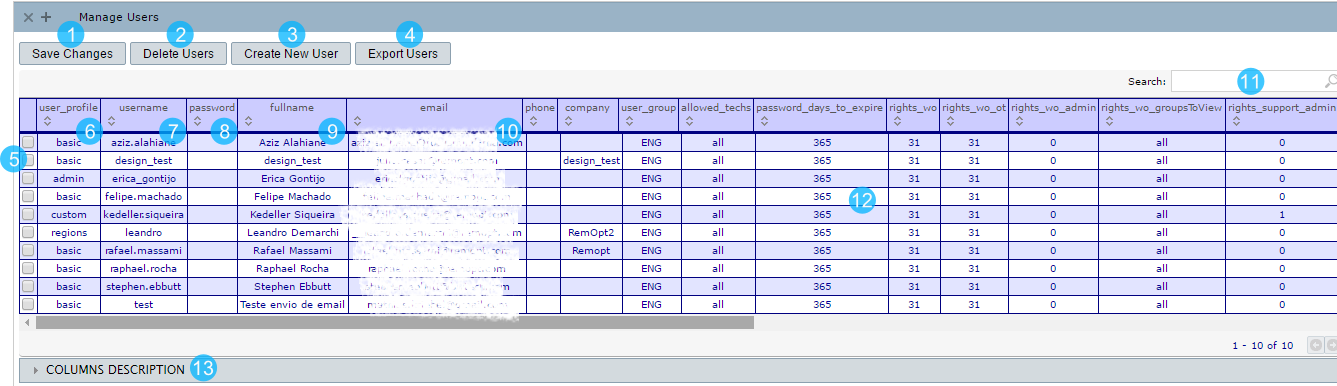
1 – Click to save the modifications on selected users.
2 – Click to delete all selected users.
3 – Click to create a new user.
4 – Click to export user details to Excel.
5 – Check the box to choose the user to be edited.
6 – The kind of user profile.
7 – The username.
8 – The password.
NOTE: Leave this field empty if you don’t want to change the user current password. An e-mail will be sent to the user informing his new password.
9 – The user’s full name.
10 – The user’s e-mail.
11 – Click to search for the user or his information.
12 – All the other fields.
13 – The description of all columns available.
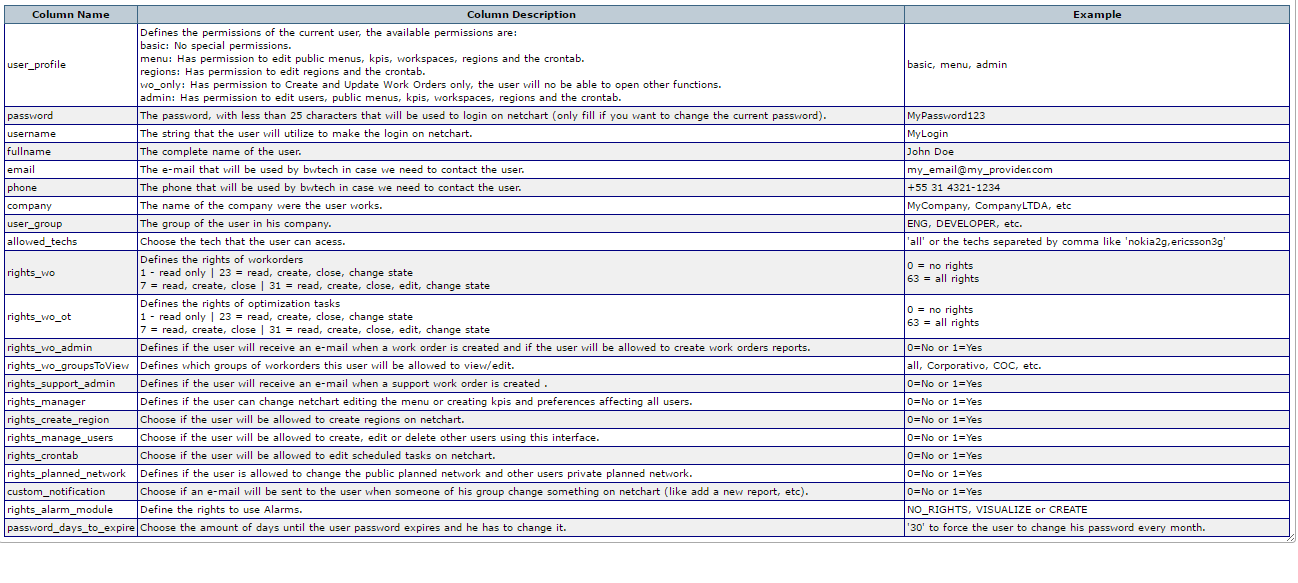
Columns Description